
Download OpalCalc – Lightweight Calculator, Keyboard-Centric, Notepad-Like Interface
Overview
OpalCalc is a lightweight mobile calculator application designed to enhance mathematical productivity through keyboard-centric interaction. Built with efficiency in mind, it leverages the capabilities of a computer keyboard to streamline input and calculation processes. The app’s notepad-like interface provides a clean, distraction-free environment ideal for users engaged in complex mathematical workflows.
Its primary purpose is to simplify the execution of both basic arithmetic and advanced functions, making it a practical tool for professionals in science, engineering, and mathematics. By minimizing interface clutter and prioritizing functionality, OpalCalc supports real-world use cases such as data analysis, formula prototyping, and on-the-go computation. The developer did not provide additional technical details about the background or development philosophy, but the app’s design reflects a clear focus on usability and performance.
Given its release date in February 2015, OpalCalc has maintained relevance in the mobile utility space by offering a minimalist yet powerful alternative to standard calculator apps. In the broader app ecosystem, it fills a niche for users who value speed, customization, and low system impact. For individuals who frequently perform calculations on smartphones or tablets, OpalCalc presents a streamlined solution that prioritizes workflow continuity over visual flair.
Key Features & Functionality
- Keyboard-Centric Design: OpalCalc is optimized for use with a computer keyboard, enabling fast and intuitive input of numbers and functions. This design choice is particularly beneficial for users who prefer typing over touch-based interaction, reducing input errors and increasing calculation speed.
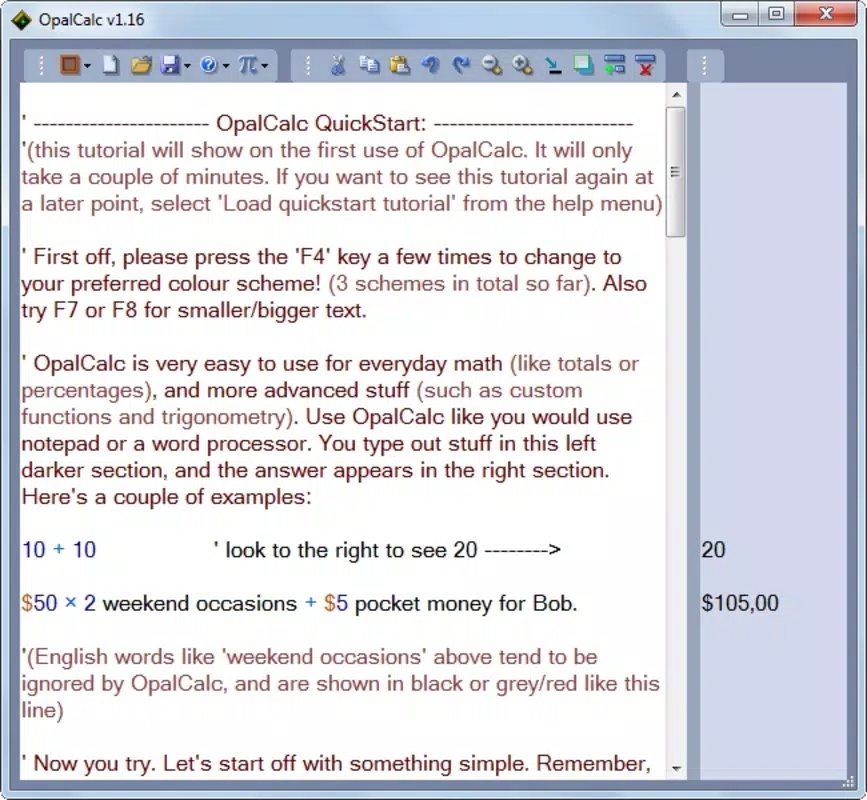
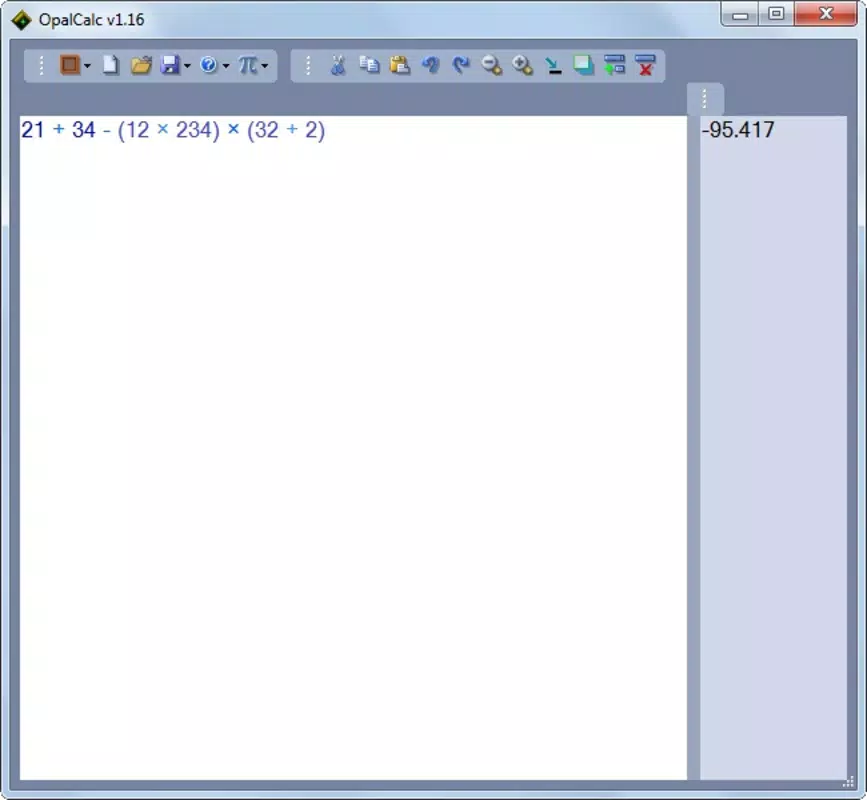
- Notepad-Like Interface: The interface mimics a digital notepad, allowing users to write out calculations in a linear, readable format. This layout supports natural workflow progression, especially when working through multi-step problems or documenting results.
- Customizable Color Options: Users can apply color-coding to different elements of their calculations, such as variables, constants, or results. This visual differentiation aids in organizing complex expressions and improves readability during analysis.
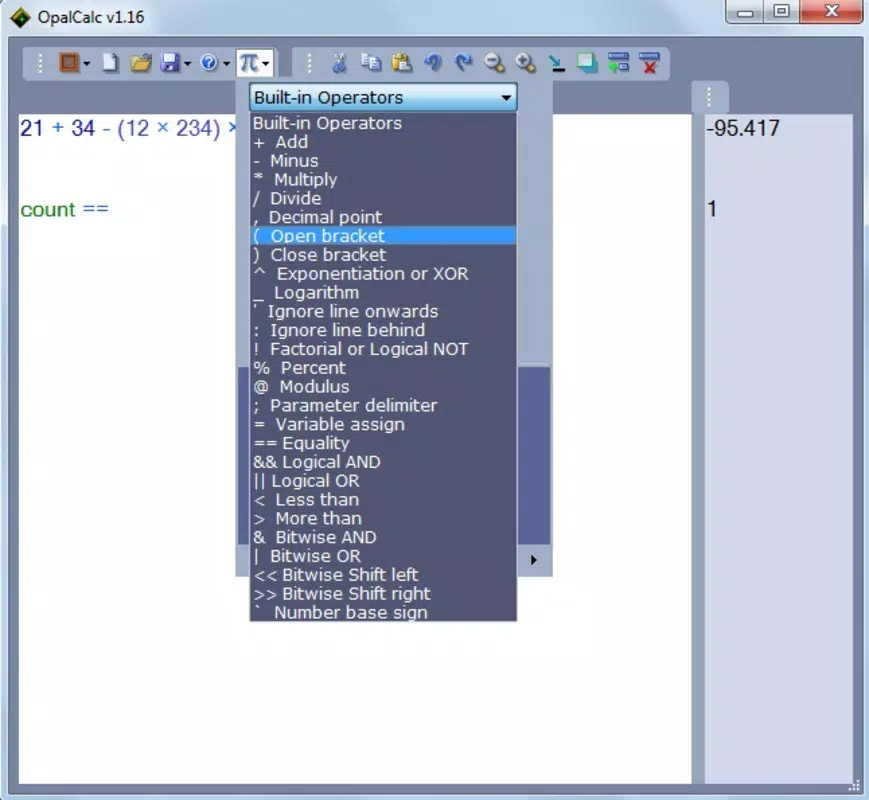
- Versatile Mathematical Operations: The app supports a wide range of operations, from simple arithmetic to advanced functions. The ability to define and reuse constants enhances efficiency for repetitive calculations, making it suitable for technical and scientific use cases.
- Low Resource Usage: Weighing in at less than one megabyte, OpalCalc is designed for minimal system impact. This ensures smooth performance even on older or lower-end devices, making it accessible to a broad user base.
For example, a student working on a physics assignment can use color-coding to distinguish between known values and derived results, while typing equations directly via keyboard for rapid input. Similarly, a researcher analyzing datasets can maintain a running log of formulas and intermediate values in a structured, readable format. The combination of keyboard optimization and visual organization makes OpalCalc a practical tool for technical users who demand precision and speed.
Interface, UX & Performance
OpalCalc features a minimalist interface with a clean, notepad-style layout that emphasizes clarity and focus. The visual design avoids unnecessary graphics or animations, aligning with its utility-first philosophy. Navigation is straightforward, relying on keyboard input and simple on-screen controls to manage calculations.
The app’s responsiveness is consistent across device categories, though specific performance metrics were not disclosed by the developer. Although the developer did not list formal performance metrics, the app’s lightweight nature suggests it operates smoothly even on devices with limited processing power. Stability appears to be a priority, as the application maintains consistent behavior during extended use.
The user experience is enhanced by the absence of intrusive ads or in-app purchases, which helps preserve workflow continuity. Users can expect quick startup times and reliable operation, particularly when performing sequential calculations. The app’s interface remains uncluttered, allowing users to concentrate on their work without distractions.
While no detailed accessibility features were mentioned, the keyboard-driven design may offer advantages for users with motor impairments who rely on efficient input methods. Overall, OpalCalc delivers a focused, efficient experience tailored to users who value functionality over flashy design.
Platform Compatibility & Technical Requirements
OpalCalc is available for Android and iOS platforms. The current software version is not specified in the provided data, nor is the exact file size beyond the general note that the app weighs less than one megabyte. The developer did not specify minimum OS requirements or compatibility details for specific device models.
Compatibility information was not fully disclosed, so users should verify system requirements through official distribution channels. The app is designed to function efficiently on a range of devices, but no formal testing data was provided. Given its lightweight nature, it is likely to run on most modern smartphones and tablets, though users with older systems should exercise caution.
The app’s size and low resource usage suggest broad compatibility, but official confirmation is recommended. For users seeking a secure, lightweight calculator tool, OpalCalc presents a viable option, especially when paired with a physical or on-screen keyboard.
Pros and Cons
Pros
- Optimized for keyboard input, enhancing speed and accuracy
- Notepad-like interface reduces cognitive load during complex calculations
- Color-coding feature improves visual organization of data
- Supports both basic and advanced mathematical operations
- Extremely lightweight, consuming minimal system resources
Cons
- Specific OS version requirements were not listed
- No detailed information on accessibility or customization options
- Compatibility with older devices was not confirmed
- Developer did not provide performance benchmarks or user support details
- App size and version information were not fully disclosed
FAQ
Is OpalCalc safe to download and use?
Yes, OpalCalc is designed as a lightweight utility tool with no known security risks. It does not require excessive permissions, and its small file size suggests a minimal attack surface.
Can I use OpalCalc without a physical keyboard?
Yes, the app supports on-screen keyboard input, though its design is optimized for use with a computer keyboard. Touch input remains functional for basic operations.
Is OpalCalc available for both Android and iOS?
Yes, OpalCalc is available on both Android and iOS platforms, though specific version compatibility was not disclosed.
Does OpalCalc support advanced mathematical functions?
Yes, the app supports a wide range of operations, including advanced functions, and allows users to define constants for repeated use.
How often is OpalCalc updated?
The developer has not provided information on update frequency. Users should check official channels for the latest version and security patches.
Final Thoughts
OpalCalc stands out as a focused, efficient tool for users who prioritize speed, accuracy, and minimalism in their mathematical workflows. Its keyboard-centric design and notepad-like interface make it ideal for professionals, students, and researchers who frequently work with complex equations. The ability to color-code elements enhances readability and organization, while the app’s low resource usage ensures it runs smoothly on a variety of devices.
Although some technical details remain undisclosed, its core functionality is well-executed and purpose-driven. For anyone seeking a secure, lightweight, and reliable calculator app that doesn’t compromise on performance, OpalCalc delivers real value. It’s particularly suited for users who prefer typing over touch-based input and want a distraction-free environment for serious calculations.
Download OpalCalc now.


